Trading One Basic Hobby for Another: My First Vibe Coding Build
When I started feeling pain in my right hip a few weeks ago, my first instinct was to start researching. I’ve been running since high school so I am no stranger to an overuse injury but my methods for self-diagnosing have developed over the years. While I used to Google, over the past year I have turned to LLMs for getting insight into a new ache or pain. During this most recent session, I prompted Gemini to ask questions to gather information and then run me through a few physical tests where I could share feedback, just like a doctor would in person. This led to the conclusion that I am dealing with a femoroacetabular impingement, with a possible partial labrum tear.
Over the weekend when I would have been doing my weekly long run, I sat down to my computer, laced up my proverbial running shoes, and opened up Anything.com for my first vibe-coding endeavor. Trading one trendy hobby for another. With a Computer Science degree but years removed from day-to-day coding, I was excited to see how far I could get with an AI development workflow. I decided to try to create an app version of my injury diagnostic workflow: allow the user to describe their injury, ask some questions, run them through a few physical tests, and give a preliminary diagnosis.
Anything prompts the user to “Describe your app idea…” but when you hit enter, Anything will run with your idea (no matter how vague) and it takes several minutes for the initial set up. Conscious of my limited tokens, I wanted to reduce iterations and so I needed a comprehensive and clear prompt to begin with. I worked in Claude to fine-tune my entry prompt before diving in.
One of the first issues I ran into solidified an important lesson about prompting. My initial prompt described the desired user workflows in detail but did not specify that the questions and physical movements needed to be dynamically created by an LLM. I essentially set up a polished but static mockup without the desired functionality. Rather than continue on this flawed foundation, I started fresh, this time leading with that requirement in my prompt. One thing I’ve learned about working with LLMs is that they tend to compound early mistakes rather than correct them.
I took inspiration from the overbearing warning messages that come with any LLM response to a health question and named this app notadr (not a doctor). The understanding that apps cannot substitute for medical advice helped me pivot my value prop from diagnosis prediction to helping users prepare for doctors appointments by providing them with information and questions to get the most of their appointments. While figuring out what might be wrong in advance can be helpful, the most valuable way to improve patient outcomes is by empowering them to advocate for themselves when they make it to their provider’s office. Since notadr ultimately can’t diagnose, it is more powerful to lean into what we can do.
I started by going through the app and jotting down notes for each screen for any changes I wanted related to copy, UI elements, and small functionality changes (like allowing multi-select on the question stage). Once I had a list of 3-5 items, I would share this feedback with Anything and within a few minutes, my feedback was incorporated.
I was really excited about the ability to create unique loading indicators for each different stage of the app that required LLM responses. I don’t often get to play with these types of UI details in my day-to-day, so I happily lost 20 minutes going down the loading indicator rabbit hole. I was impressed with what we came up with.
For the most part, whenever I encountered a bug or error message, I copied and pasted the logs and the issue would be resolved quickly. The one feature request that Anything struggled with was generating illustrations to demonstrate the physical movements tests that are a crucial part of the experience. Rather than deprioritize it, my plan is to find an open-source physical therapy image library that could be used here instead.
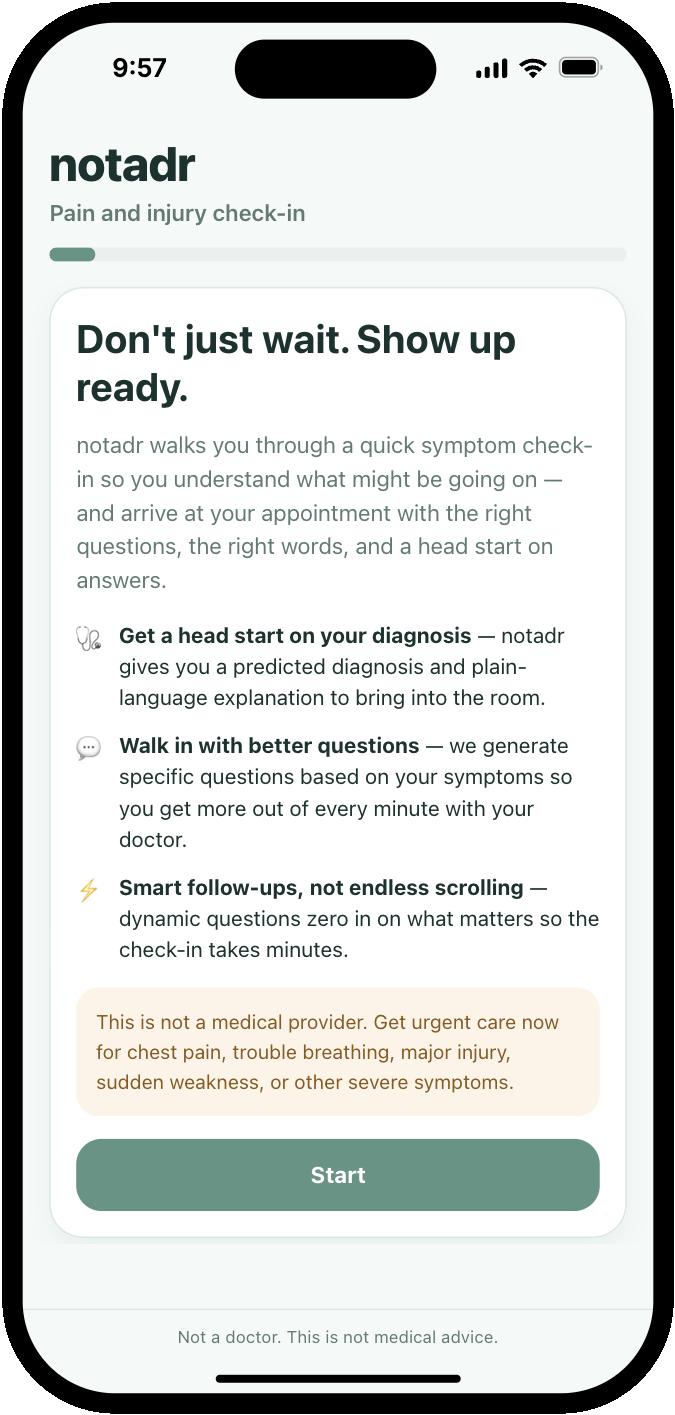
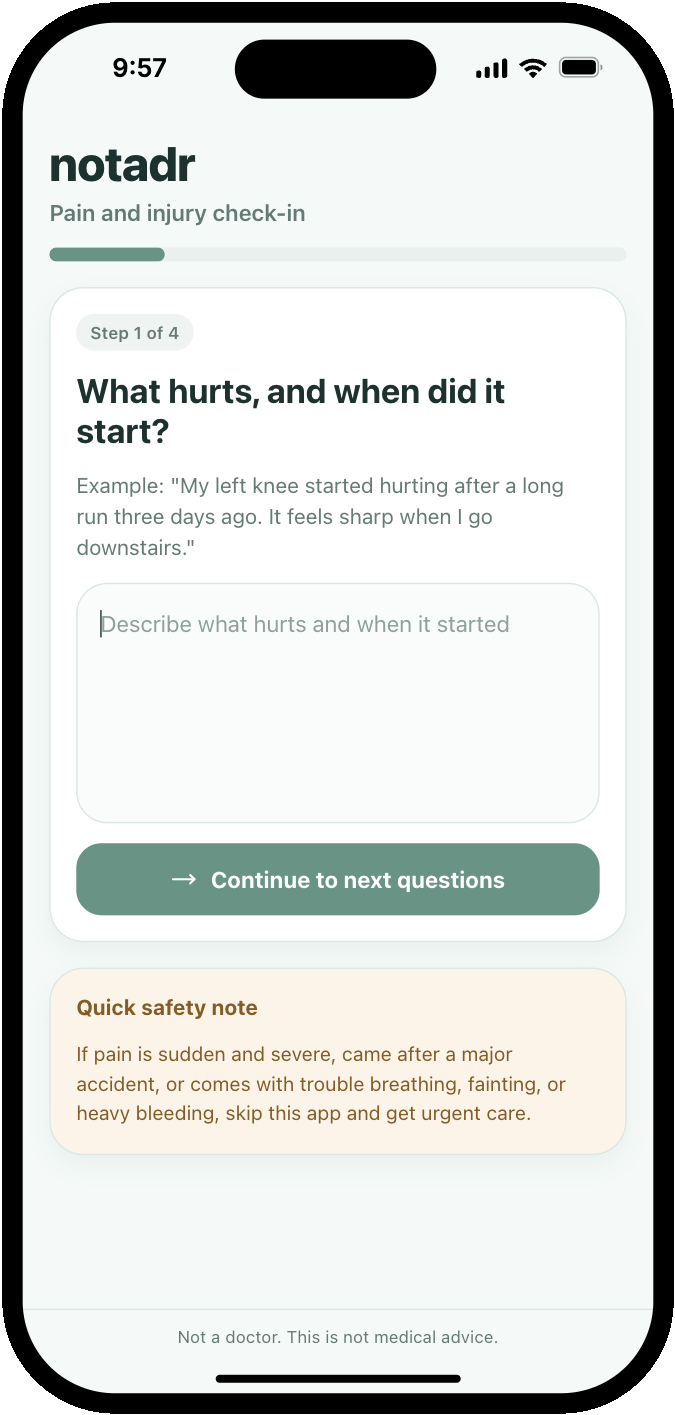
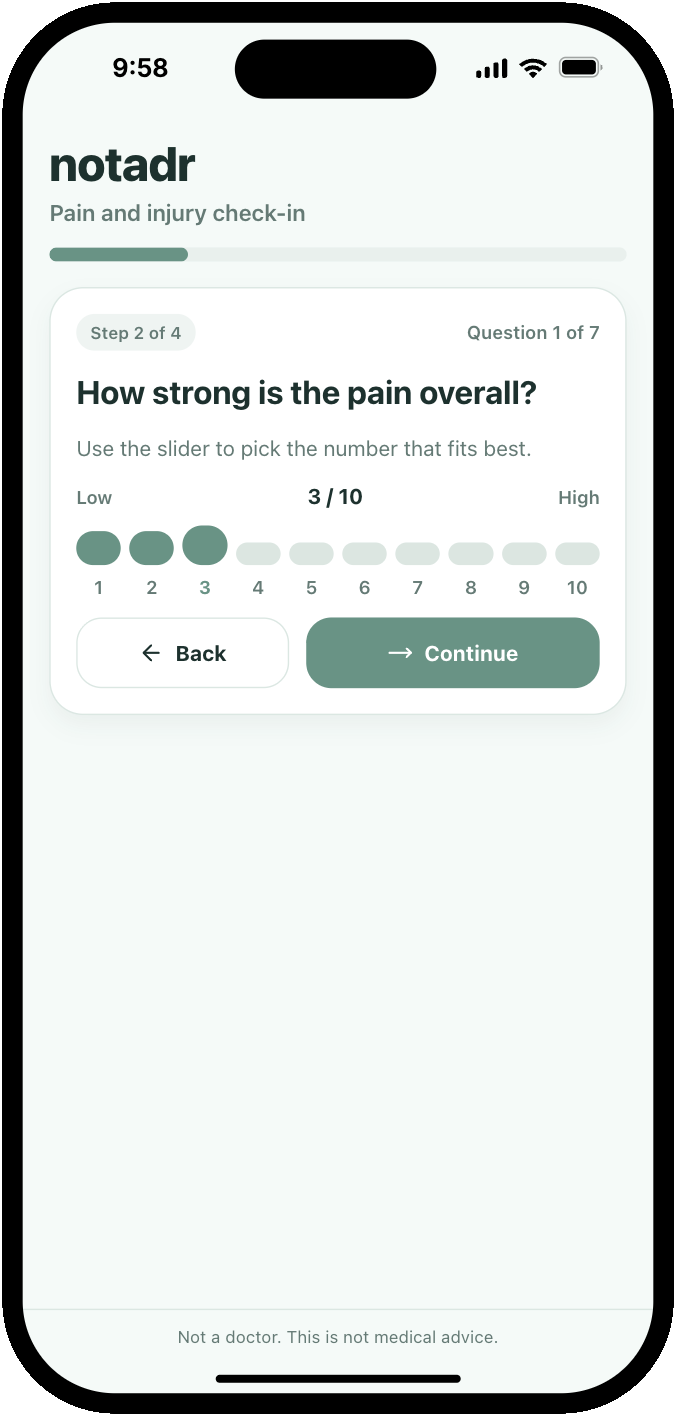
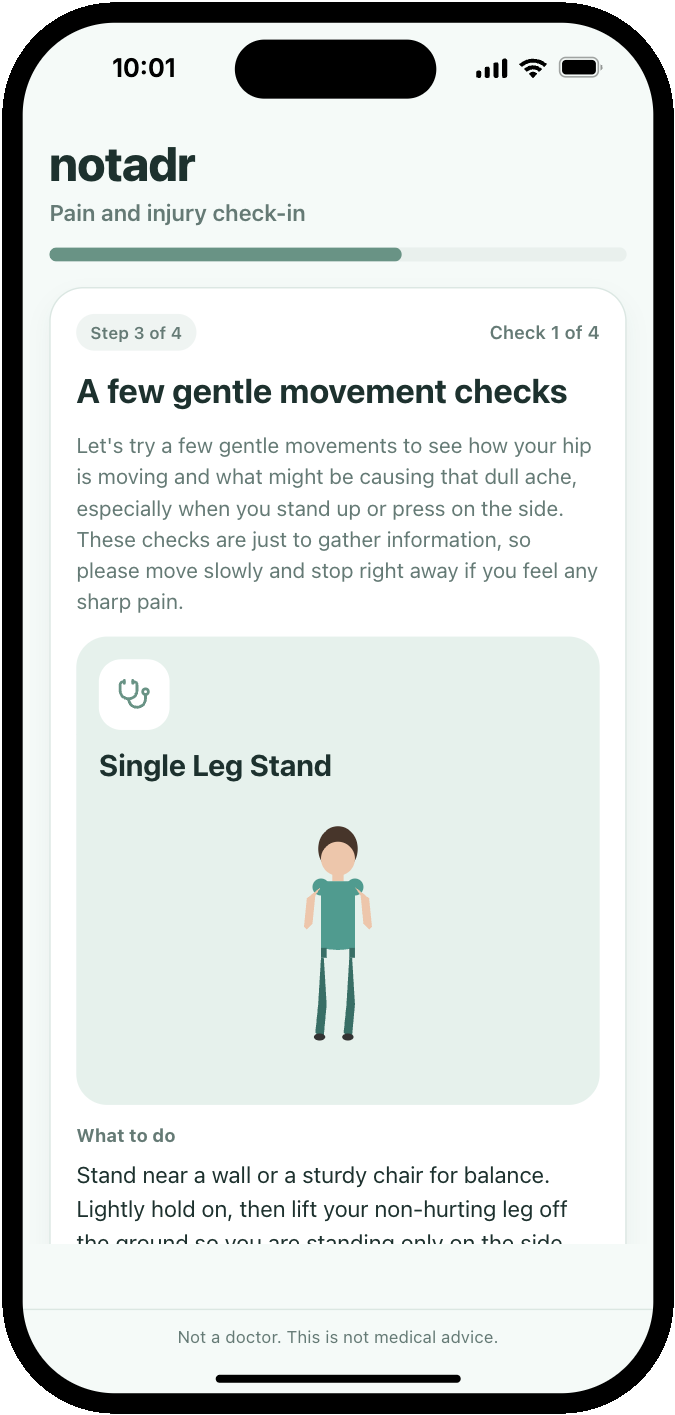
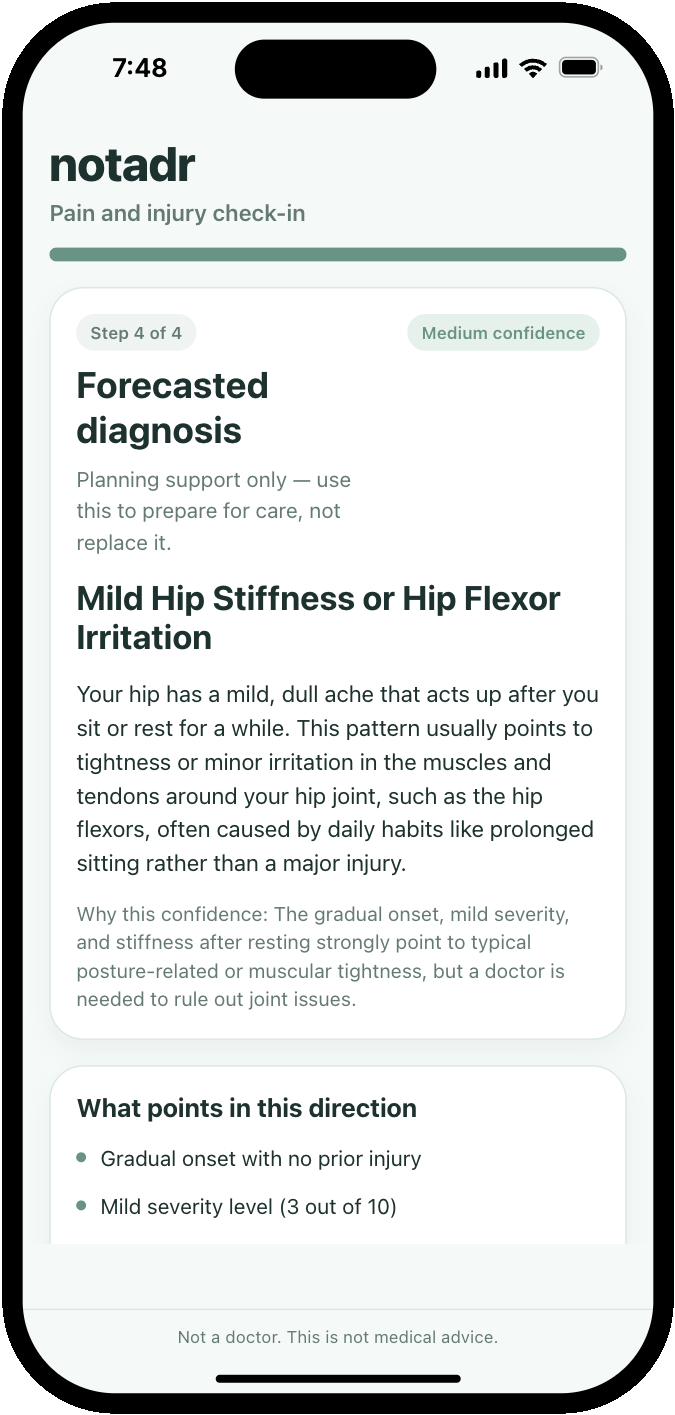
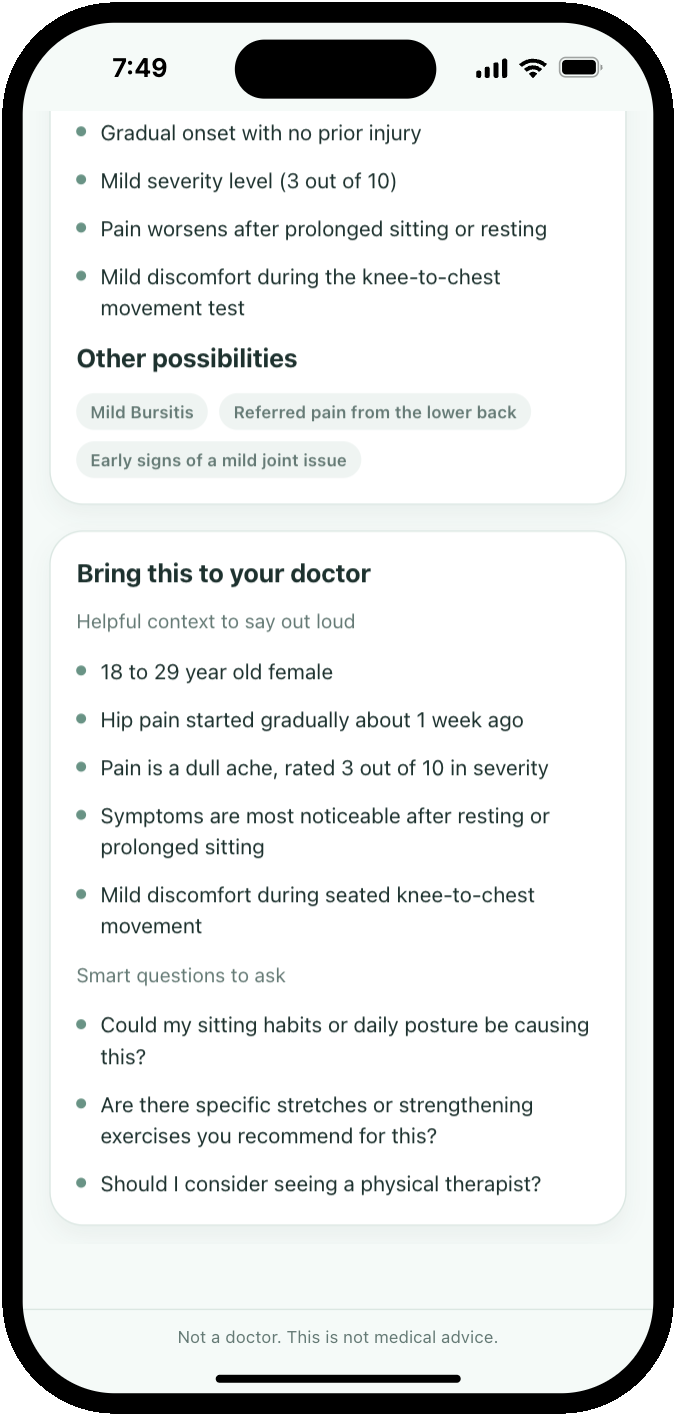
In order to focus on this value, I would like to improve the final step of the flow where the forecasted diagnosis and questions for the user’s doctor are shared. I believe the questions could be more exhaustive and the pre-appointment checklist could be more robust. I can even imagine an integration or link out to ZocDoc to support booking that appointment.
When I made it into the doctor on Monday, I had about 90 seconds of face time with my provider and was happy to be prepped with questions so I could make the most of my time. This personal experience was the validation that I needed to want to keep working on notadr.
I was skeptical of the vibe coding buzz but after my morning spent with Anything, I understand the hype. After pushing through some of the early setup pains, the experience felt like a productive working session with my favorite engineer. The speed of feedback (a few minutes instead of a two week sprint) was dizzying and I loved being able to try out new ideas and test the limits of the system.
I might not have gotten my long run in that weekend but I built something I’m proud of instead. Running and vibe coding are ultimately very similar hobbies — the barrier to entry is low, it gets easier with reps, and both have a way of turning participants into unsolicited evangelists. Consider this the equivalent of a Strava post and my encouragement for you to try it too.